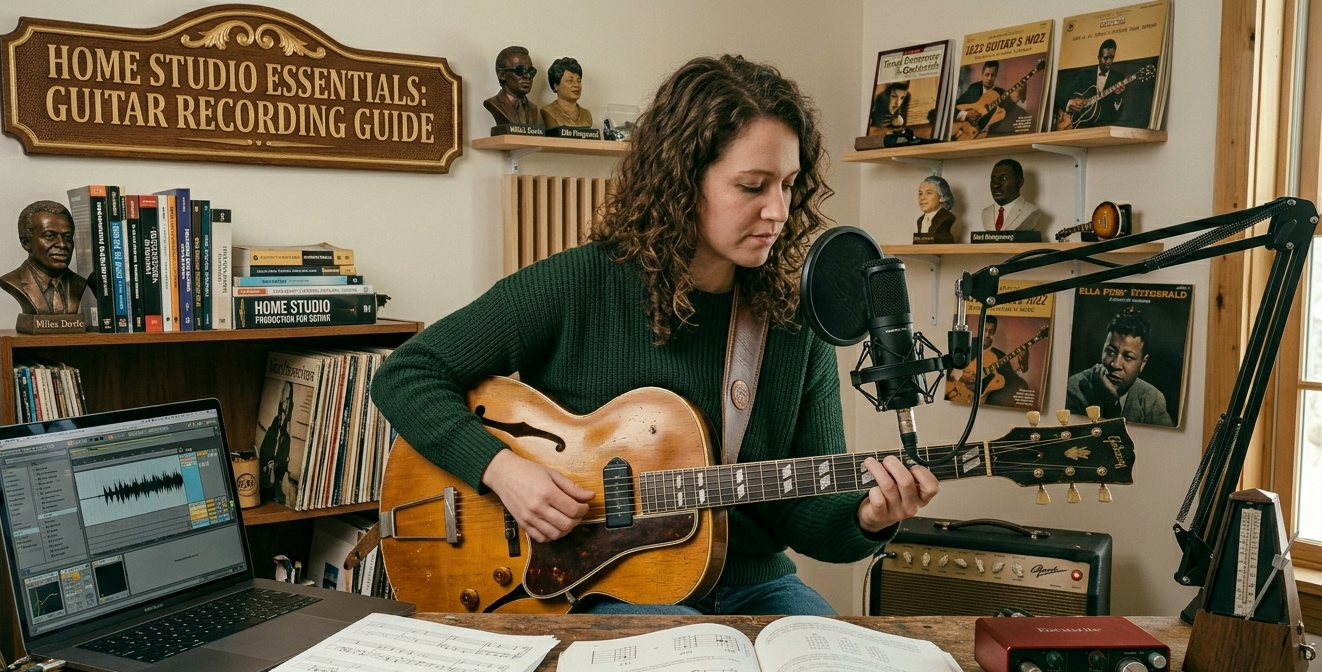
The gap between what your home recordings sound like and what you want them to sound like is largely a gear and knowledge problem, not a talent problem. Most home guitarists record by pointing a phone at an amp and wondering why it sounds thin and distant. The good news: you don’t need a professional studio to get recordings that sound genuinely good. You need a few specific pieces of equipment and an understanding of how they work together.
The Signal Chain: Understanding Your Options
There are three main approaches to recording guitar at home. Mic’ing an amp: putting a microphone in front of a guitar amplifier and capturing the sound. Direct recording: going straight from guitar into an audio interface with amp simulation software. Hybrid: going through effects pedals or a preamp into the interface, with or without amp simulation on top.
Mic’ing an amp produces the most natural sound but requires a decent amp, a good microphone, a treated room (or at least a room that doesn’t sound like a bathroom), and a working understanding of microphone placement. Direct recording is simpler, more flexible, and works well at any volume essential if you’re recording in an apartment.
The Audio Interface: The Most Important Purchase
An audio interface converts the analog signal from your guitar into digital information your computer can process. This is the single most important piece of equipment in your home recording setup. A bad interface introduces noise, latency (a delay between playing and hearing the audio), and degraded audio quality that affects everything downstream.
The Focusrite Scarlett 2i2 is the standard recommendation for beginners and remains excellent. It has two inputs (instrument and XLR microphone), good preamp quality, and rock-solid driver support. The fourth-generation version improved the preamp circuit and air mode button. At around $150–$180, it’s well worth the investment.
SSL and Universal Audio make interfaces at higher price points with better preamps worth considering as you progress, but the Scarlett 2i2 is the right starting point.
Microphones for Amp Recording
If you’re going to mic an amp, the Shure SM57 is the industry standard for a reason. It’s a dynamic microphone designed for instrument sources, it handles high sound pressure levels without distortion, and it sounds excellent in front of guitar speakers. It’s around $100 new. The SM57 in front of a guitar amp is how the majority of rock and blues guitar was recorded commercially for decades.
Placement matters enormously. Pointing the SM57 directly at the center of the speaker cone produces a bright, aggressive tone. Moving toward the edge of the cone produces a warmer, softer sound. Angling the mic slightly off-axis from the center reduces harshness. Experiment with placement before touching any software settings mic position does more work than EQ.
DAW: Your Recording Software
A Digital Audio Workstation is where you record, arrange, edit, and mix your audio. GarageBand, which comes free on Mac, is genuinely capable for home recording professional-sounding results are achievable with it. Reaper is affordable ($60 for a personal license, though many people use the trial indefinitely) and has a feature set that rivals Pro Tools and Logic at a fraction of the cost.
Logic Pro X is the choice for Mac users who want professional tools. Ableton Live suits players who want to work with loops and electronic elements. Pro Tools is the industry standard in professional studios but has a steep learning curve and a subscription model that makes it a harder recommendation for home users.
Start with GarageBand if you’re on Mac. Start with Reaper if you’re on PC. The workflow fundamentals transfer between DAWs it’s more important to know one tool well than to have the ‘right’ tool poorly understood.
Amp Simulation Plugins
Neural DSP makes the best amp simulation plugins currently available. Their Plini, Nolly, and Petrucci plugins capture specific artists’ sounds with remarkable accuracy, and the ‘Archetype’ series covers a wider tonal range. They’re around $100 each and sound exceptional.
Free options: BIAS FX has a free tier. Guitar Rig 7 Player is free. Both are good enough for demos and learning; Neural DSP is where you graduate when sound quality becomes a genuine priority.
Important: amp simulation plugins require low-latency monitoring. Make sure your interface’s buffer size is set low (128 samples or below) when recording. High buffer sizes introduce noticeable delay between playing and hearing your sound, which affects your timing.
Acoustic Guitar Recording: A Different Challenge
Acoustic guitar recording benefits significantly from room acoustics. A completely dead room (heavy carpets, curtains, filled bookcases) produces a dry, close sound. A lively room adds space and air. For acoustic recording without studio treatment, the middle ground is usually best avoid reverberant tiles and bare walls.
The SM57 works but a small-diaphragm condenser like the AKG C451 or even the Rode NT5 produces a more natural acoustic tone. Two microphones (one at the 12th fret, one at the sound hole) give you a stereo image with the option to blend the two signals for the right balance.
Conclusion
You can produce professional-sounding guitar recordings at home for under $300 in equipment investment (interface + SM57 + free DAW). Everything beyond that is incremental improvement. Start with the basics, learn them well, and upgrade based on specific limitations you encounter not based on what YouTube gear channels recommend you ‘need’ before you start.
FAQ
Do I need acoustic treatment to record guitar at home?
It helps significantly, but professionally treated rooms aren’t required for good recordings. Basic treatment heavy curtains, bookshelves, soft furnishings reduces room reflections enough to produce clean recordings. Avoid recording in tiled bathrooms or bare-walled rooms.
Why does my direct recording sound thin and digital?
Without amp simulation or an appropriate impulse response (IR) for cabinet simulation, direct guitar recordings sound thin. Always run your direct signal through at least a cabinet IR if you’re not using full amp modeling.
What sample rate should I record at?
44.1 kHz or 48 kHz at 24-bit depth is standard and sufficient for almost all purposes. Higher sample rates (88.2 kHz, 96 kHz) offer marginal benefits for most guitarists at significantly increased file sizes and processing demands.